Creating Websites with Simple, AI-Guided Steps



Introduction


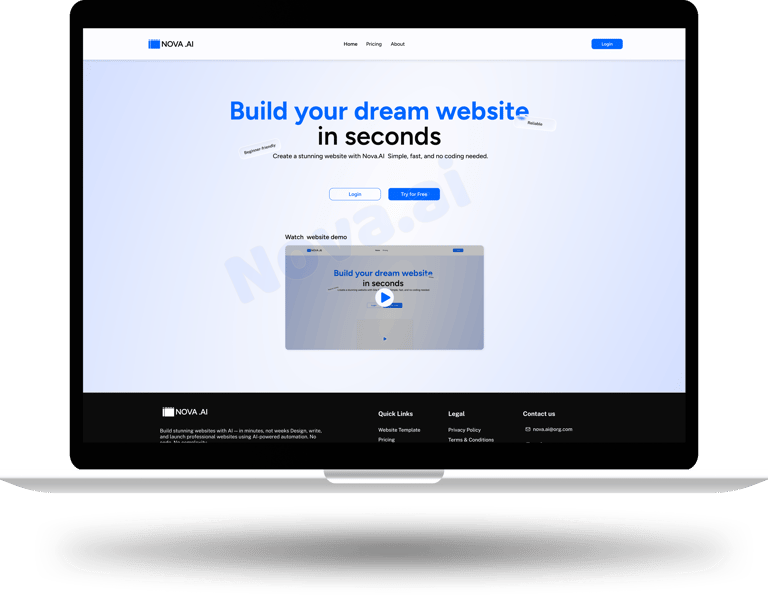
Nova.ai is an AI-powered website builder designed to help small business owners and non-designers create professional websites easily. The main idea behind Nova.ai is simple:
Anyone should be able to build a website without coding, design skills, or confusion.
This case study explains the problem, thinking process, design decisions, and final solution in a clear, step-by-step way.
Project Name: Nova.ai – AI Website Builder case study
Role: UI/UX Designer
Platform: Web
Tools Used: Figma, FigJam, Photoshop
Team: Solo Designer
Problem Statement
While many AI website builders exist, most of them create difficulties for beginners:
Users are asked to sign up or pay before understanding how the product works
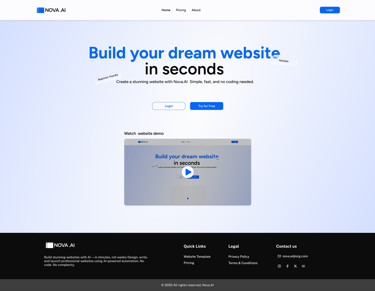
There is no clear explanation or demo showing how the website will be created
Too many forms and technical questions appear at the start
Editors feel complex and overwhelming for non-designers
Little or no guidance is provided while building or editing the website
Because of this, users do not understand the process, feel uncertain about the outcome, and often leave before completing or publishing their website.



Goal
The goal of Nova.ai was to design a website builder that:
Is easy for first-time users
Requires no coding or design knowledge
Guides users step by step using AI
Allows users to see results before paying


Target users
Small business owners
Freelancers
People creating a website for the first time
Simple instructions
Quick results
Affordable solution
Confidence while building
User needs
User Persona
Name: Ramesh Kumar
Age: 34
Profession: Personal blog writer
Technical Skill: Low
Goal:
Start a personal blog to share ideas and thoughts in a simple way.
Challenges:
Has never made a blog before
Finds technical tools confusing
Wants something easy to use
Expectation from nova.ai:
“I want a simple blog that is easy to use and looks good.”

Research and Observations
Research Methods
This is a concept-based case study created using:
Product analysis
Personal observation
Existing AI website builders


What Worked
Platform
What didn’t worked
Improvement opportunity
Wix
Framer AI
Durable
Squarespace
Hostinger
Smart AI personalisation, flexible designs
Modern look, ready templates
Professional templates, minimal design, good UX
Clean design
Quick setup, affordable pricing
Shorten onboarding, simplify setup
Needs design sense to build website, expensive for beginners
Login required early without overview, no prebuilt templates, slightly high price
less AI personalisation , overpriced for small users
Limited creative control, pay before exploring
Too many steps , costly premium plans
Add guided AI mode
Add demo mode, include more templates
Add demo video, allow free preview before payment
Add smart AI personalisation.
Competitive Analysis
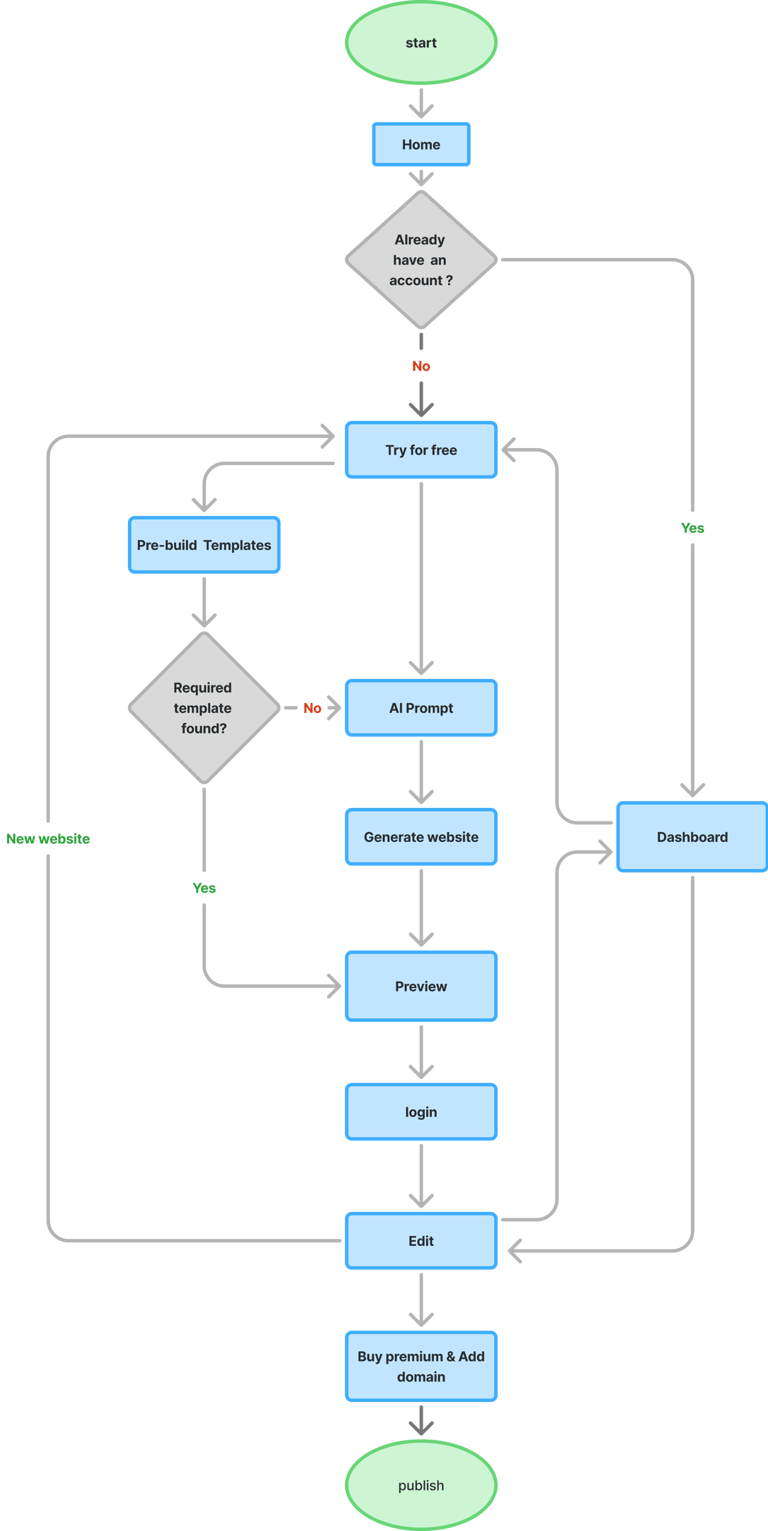
User flow
The user flow was designed to help users move through the website easily and without confusion.
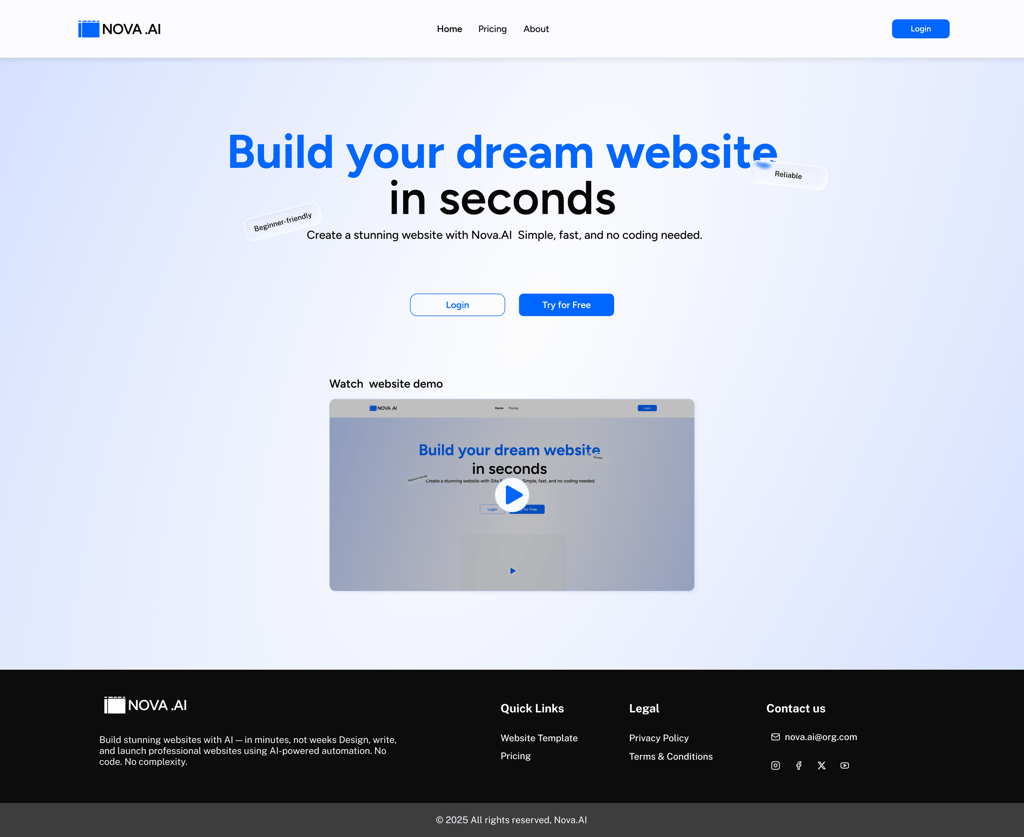
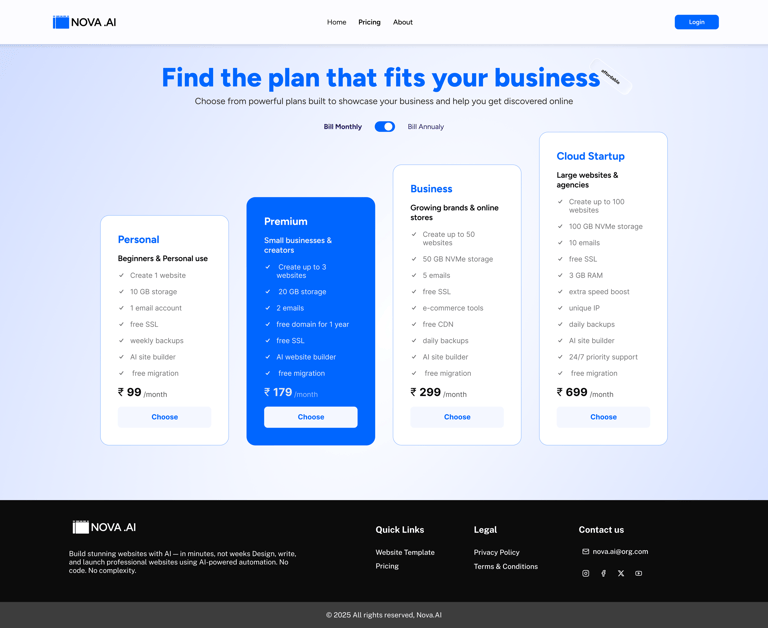
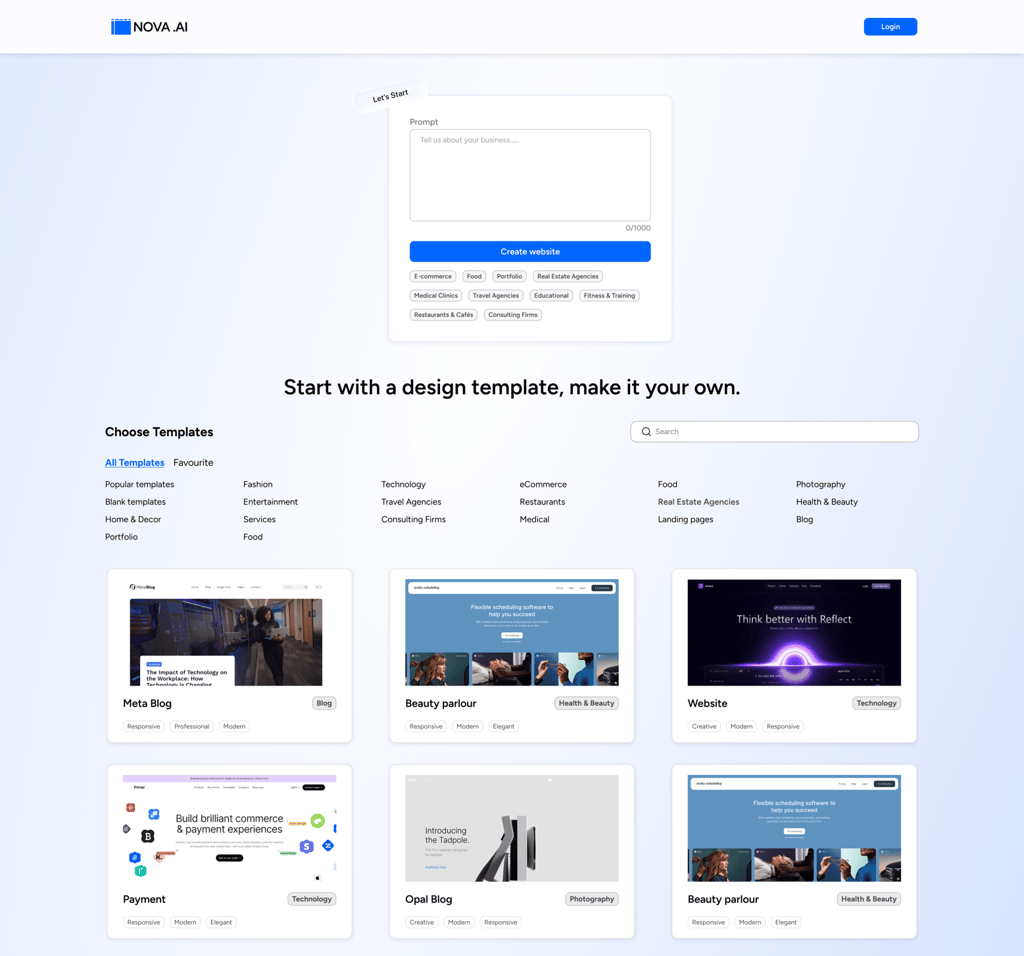
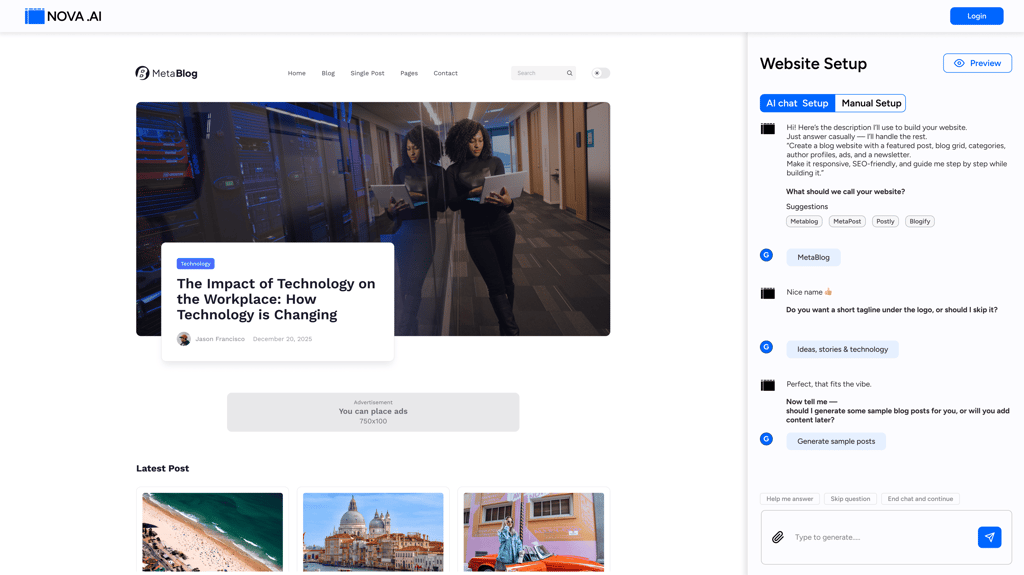
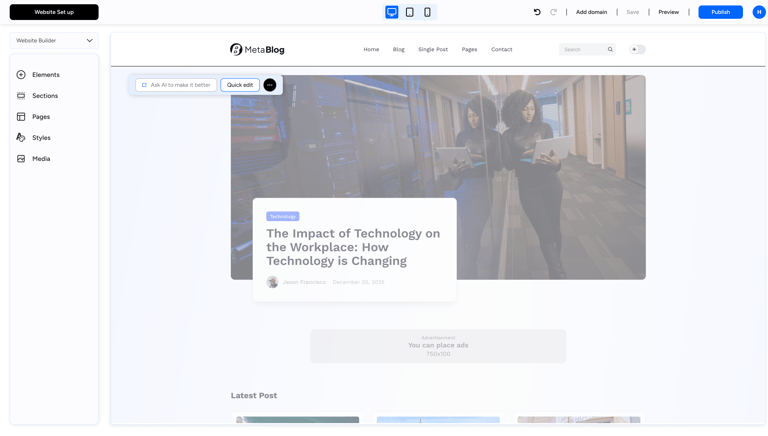
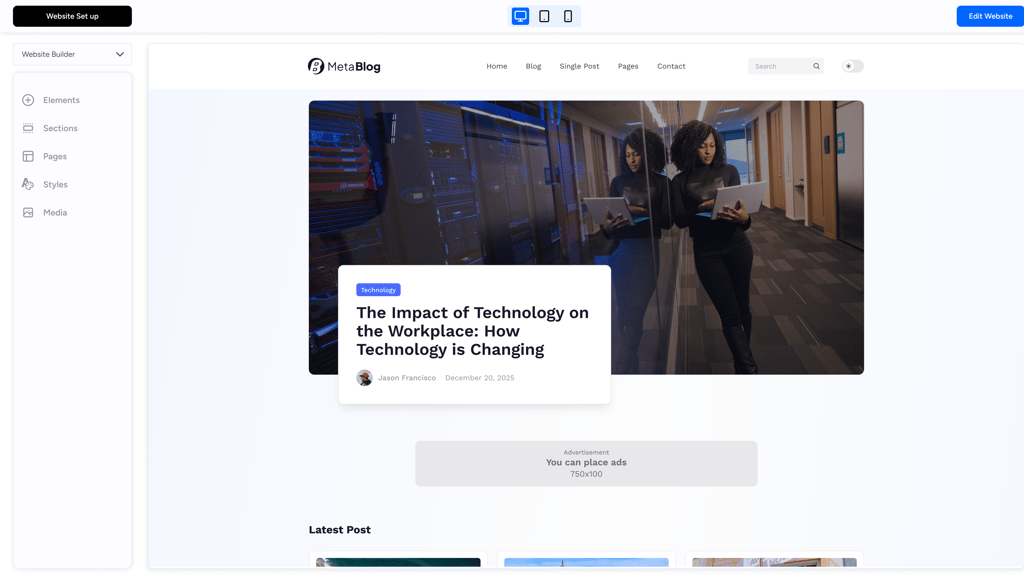
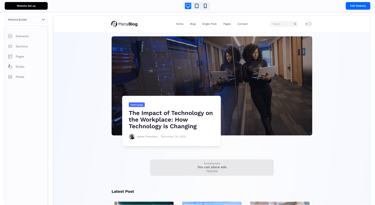
High Fidelity wireframes


Design system
Figtree is a modern sans-serif typeface (font family) that’s clean, friendly, and highly readable — often used in websites, apps, interfaces, and branding
Figtree
ABCDEFGHIJKLMNOPQRSTUVWXYZ
abcdefghijklmnopqrstuvwxyz
0123456789
#0066FF
Primary Colour
Secondary Colour
Text Colour
Background Colour
#0C0C0C
#000000
#D1DDFF
Colours
Typography
Icons sourced from the React Icons library
Icons
Thank you for your time :)


Feel free to provide your valuable suggestion and comments

Get in touch